
How to automatically blur or pixelate NSFW images in Chrome
SafeSearch, site blockers and AI extensions: what each option covers, what slips past it and how to get Chrome set up in five minutes.
Updated October 21, 2026
If you want to browse with Chrome without running into nudity, you have three tools at hand. Each one covers different things, and it helps to know what slips past each one before you rely on it.
Three ways to cover sexual content in Chrome
| Option | What it covers | What slips past |
|---|---|---|
| Google SafeSearch | Explicit images and links in Google search results | Everything outside the search page: social media, forums, news sites |
| Site blocker | Whole websites from a list (adult sites, for example) | Sexual content inside normal sites such as X, Reddit or Instagram, which you can’t block without losing everything else |
| AI extension that blurs | The images (and sometimes videos) on any website, checked one by one | The odd detector miss, which is why you can raise the sensitivity |
The first two work like a door: they let a page through or they don’t. The third is the only one that looks inside each image, which is why it is the one that lets you keep using social media with the sexual content covered.
How an NSFW-blurring extension works
When a site loads a photo, the extension hides it for a moment, runs it through a detection model and shows it again with the detected areas covered. In Serenfix that model runs inside your browser: the image never goes to a server, which is also why it works offline.
There are two ways to cover. Some extensions blur the whole image as soon as they detect something; others locate each body part and cover only that area. The second approach leaves the rest of the photo visible (face, clothes, background), which is usually what people want if they keep using Instagram or X as normal.
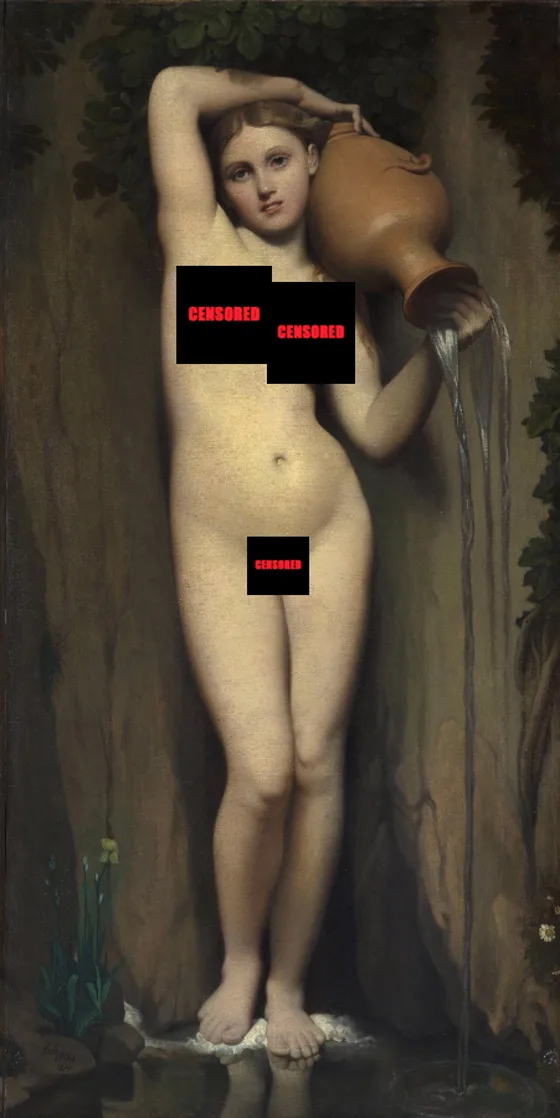
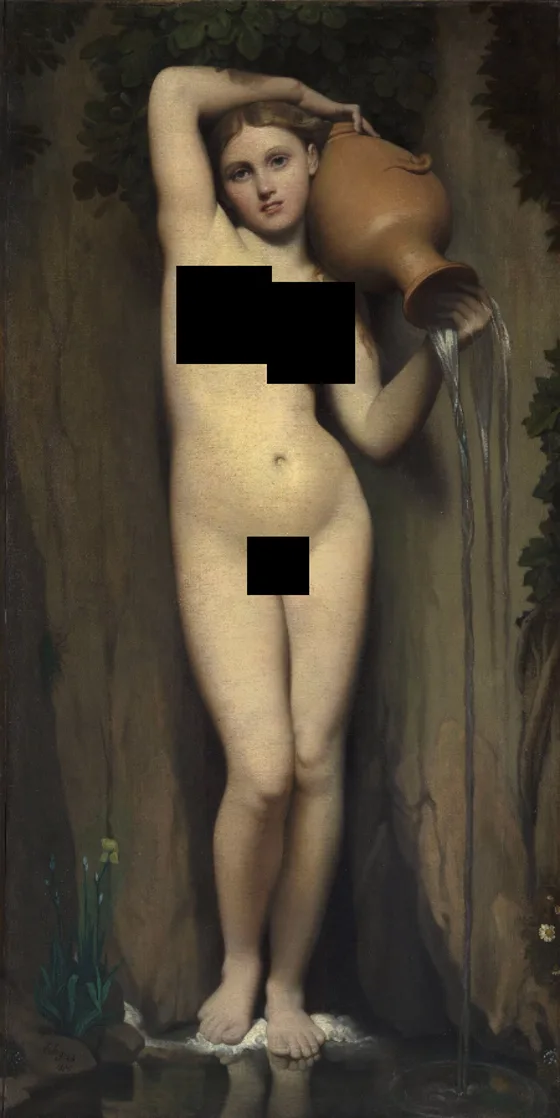
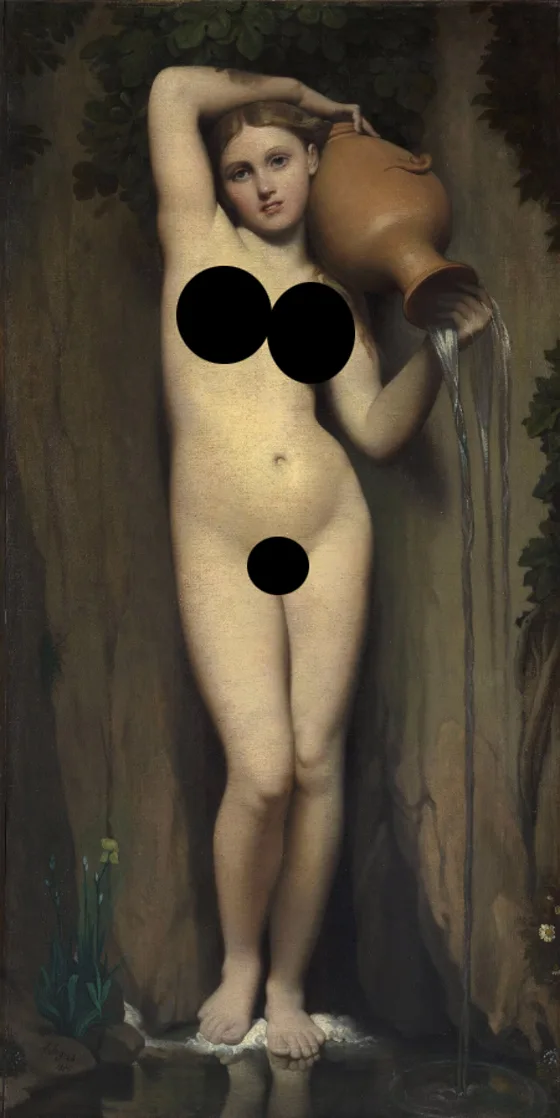
Jean-Auguste-Dominique Ingres, “The Source” (1856), public domain. Censored with Serenfix.
Step by step: setting up Chrome with Serenfix
- Install the extension from the Chrome Web Store. It also works in Edge, Brave and Opera on desktop.
- Pin it to the toolbar (Chrome’s puzzle icon, then the pin) so the panel is one click away.
- Choose what to cover. The panel splits women and men, with one box per area: face, chest, nipples, genitals, underwear, buttocks and feet. Tick only what you want covered; everything else stays as it is.
- Choose the effect: pixelate, blur, black box or words, and the shape (rectangle or oval). The size slider sets how much margin goes around each area.
- Adjust the sensitivity if you need to. It goes from 50 to 200%: at the top it covers at the slightest doubt.
- Turn it off on specific sites where you don’t need it, from the same panel.
That’s it: photos on any website are censored for free. Video (TikTok, X, Instagram, YouTube and more) and GIFs need Premium, which analyses the video as it plays and tracks each area frame by frame.
Tips so nothing slips through
- Raise the sensitivity if you see uncovered areas. No detector is always right; higher sensitivity covers more, sometimes a bit too much.
- Pair it with SafeSearch. SafeSearch cleans up search results and the extension covers everything else.
- If your computer is slow, light mode uses less power in exchange for a little video accuracy.
- On your phone this extension doesn’t work yet; there, each app’s own settings help, as explained in our guide to hiding NSFW on social media.
Frequently asked questions
Does Chrome have a setting to blur nudity?
Chrome doesn’t blur images by itself. Google SafeSearch can blur or remove explicit images in Google search results, but it does nothing on the websites you visit or on social media. For that you need an extension.
Can I pixelate just part of an image?
Yes, with an extension that detects body parts, such as Serenfix. You can cover only the chest or genitals, for example, and leave the rest of the photo visible.
Does it work on X, Instagram or Reddit on desktop?
Yes. An extension works on any site you open in Chrome, social media included, whether or not the post is marked as sensitive.
Does it slow the browser down?
Pages load just as fast. Images stay hidden for a moment while they are analysed. On modest computers, Serenfix has a light mode that uses less power.
What about videos?
Many extensions only cover photos. Serenfix also censors video and GIFs on the Premium plan, tracking each area frame by frame.